
For the people teaching EMS
EMS training.
Less setup. More useful feedback.
A practical, cost-conscious workspace for EMS educators. Run a scenario, review the evidence, and give each student a clear next step.
Built by an EMS educator. Use compatible equipment you already own. Final decisions stay with faculty.
From the first attempt to the next
The evaluation is a starting point.
Connect what happened in the scenario to what the student needs to work on next.
Prepare. Run. Capture.
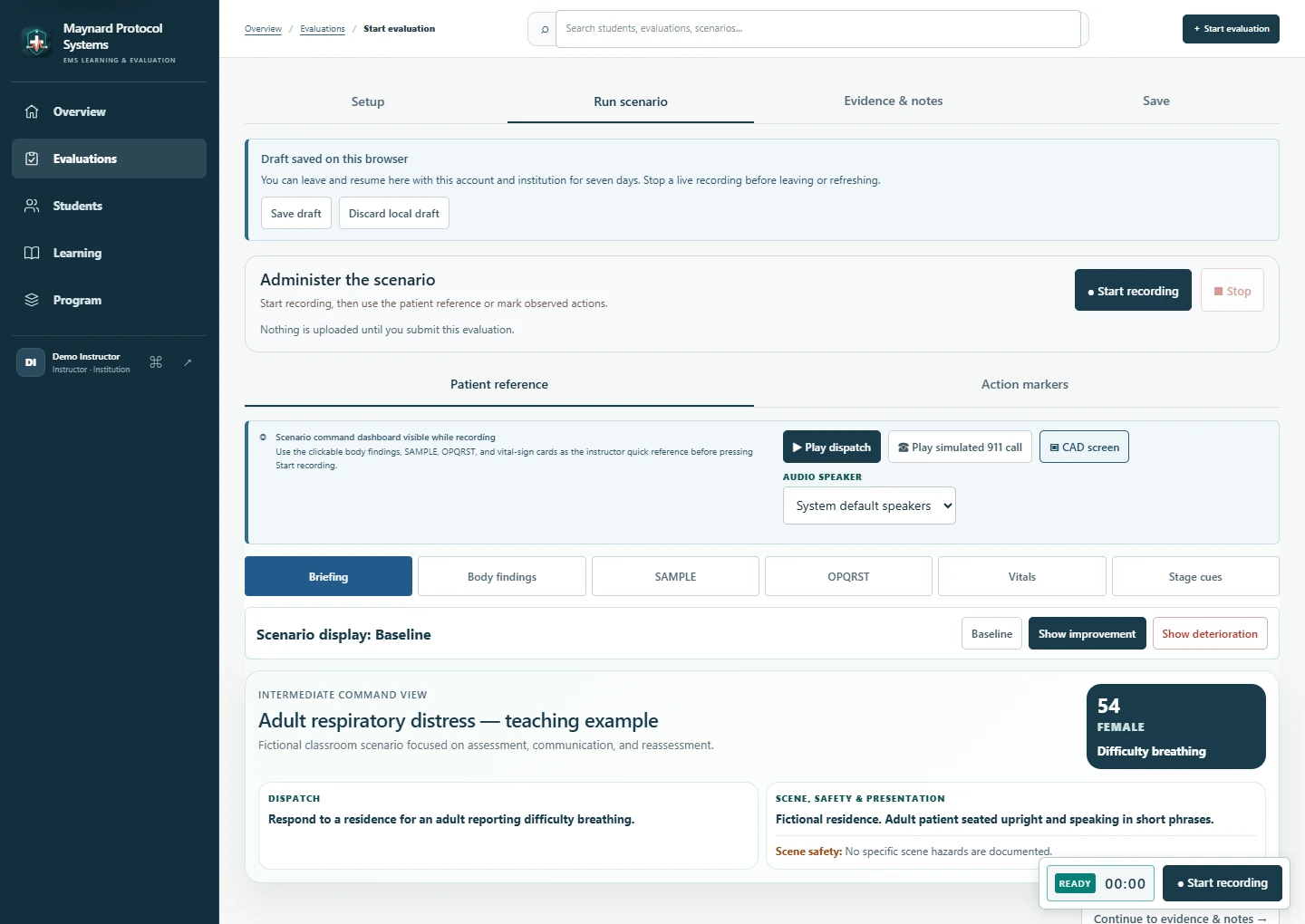
Build a scenario around your learning objectives. Keep findings and instructor prompts at hand, record the attempt, and mark moments to revisit.
Scenario builder · Recording · Instructor markersReview before you release.
Use the transcript and submitted evidence to review draft feedback. Faculty verify the report, make scoring decisions, and choose when students can see it.
Evidence review · Reports · Student releaseGive practice a purpose.
Turn feedback into a focused remediation plan. Set goals, assign practice, and follow the student’s progress into the next attempt.
Remediation · Patient practice · Follow-up
AI assists. Faculty decide. AI helps organize transcripts and draft feedback. Instructors verify the evidence and retain responsibility for scoring and final reports.
In the lab, classroom, or field
Start with the device you already use.
A laptop, phone, or tablet can record with its own camera and microphone in a supported browser. Use a compatible external microphone for clearer audio, or upload a recording from an action camera.
Clear audio helps produce a useful transcript. Add your own observations to document what the recording cannot show.
Support the work around the scenario.
- For studentsReleased feedback, targeted practice, assignments, and learning resources.
- For instructorsScenario development, evaluation reports, and remediation follow-up.
- For programsStudent records, competency progress, and organized program evidence.

Built from experience
Created by someone who teaches the scenario, too.
Nicholas Maynard built Maynard Protocol Systems around the work he knows as a paramedic educator and field paramedic: realistic training, useful feedback, and a clear record of student development.
Read Nicholas’s storyI’m a student. Where do I start?
Use your program’s invitation to join the correct workspace, then sign in with the same email address. Your instructor can help if you have not received an invitation or cannot see your program.
Go to sign inDo I need special recording equipment?
No special camera is required. A laptop, phone, or tablet with a supported browser can use its own camera and microphone. External microphones depend on device compatibility; recordings from other cameras can be uploaded for review.
Does AI make the final evaluation?
No. AI can organize transcript evidence and suggest feedback, but faculty review the evidence, determine scores, finalize the report, and control its release to the student. Recording a video does not automatically verify physical skills.
Which plan fits my program?
Compare plans for the evaluation, practice, and program tools you need. Available features depend on your plan and role. If your organization already uses Maynard Protocol Systems, sign in or use its invitation before setting up a separate account.
View plansMake the next attempt count.
Bring your scenarios, feedback, and follow-up together.